

RAG & Semantic Search
ChromaDB-powered vector search across project files, memories, and error patterns. Semantic file ranking, hybrid error matching, and intelligent context enrichment.
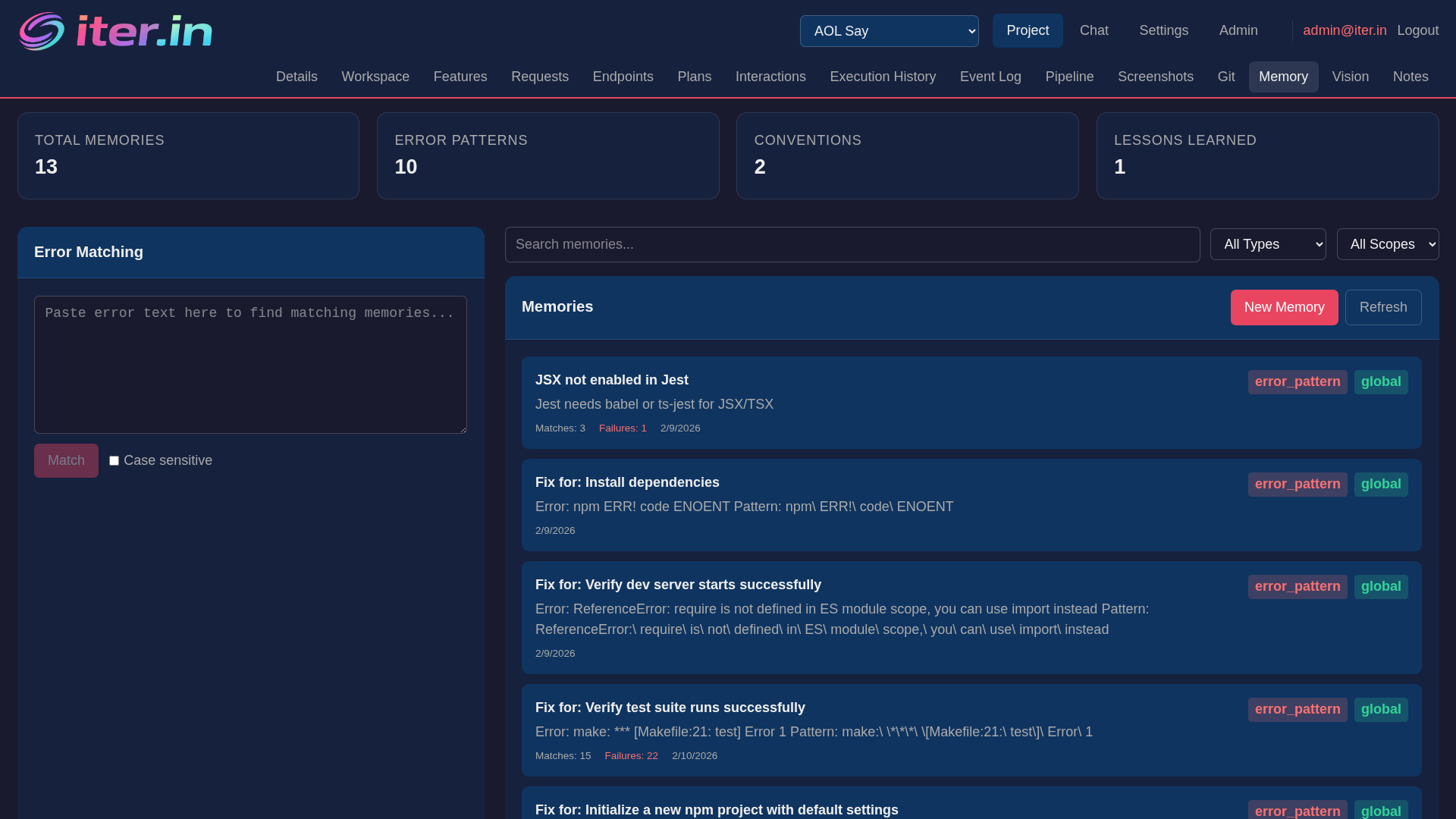
RAG capabilities
Project file indexing
Background indexing embeds the first 2KB of each project file into ChromaDB using nomic-embed-text. Incremental - only re-indexes changed files.
Semantic file ranking
When building prompts, files are ranked by semantic relevance to the feature request. Narrows 500+ workspace files to the ~30 most relevant.
Memory semantic search
Search across error patterns, lessons, conventions, and facts using vector similarity. Combines global and per-project memory collections.
Hybrid error matching
When a step fails, matches against known error patterns using both regex (fast, precise) and vector search (semantic). Merged results with confidence scores.
Memory across the pipeline
Project knowledge is injected into every phase of the orchestration pipeline, not just planning.
Planning phase
When generating the task prompt, the system semantically searches memories for conventions, lessons, and facts relevant to the feature request. These are included as a 'Project Knowledge' section so the coder model respects established patterns.
Pre-execution step review
Before executing proposed steps, the reviewer model receives relevant memories alongside the safety checklist. Known conventions help catch violations before any code runs.
Post-execution review
After execution, the reviewer evaluates results against acceptance criteria with full memory context. Lessons from past reviews inform the verdict — flag patterns that violated known conventions.
Auto-fix error recall
When a step fails, hybrid regex + vector search matches the error against known patterns. Solutions that worked before are included in the fix prompt with confidence scores and success rates.
Memory loading is visible in the pipeline graph — each phase shows a purple chip with the number of memories injected into its prompt.
How it integrates
Feature request enrichment
When you create a request, vector pre-filtering identifies the most relevant files. The LLM then classifies them as target (to modify) or reference (for context).
Embedding model routing
Embedding inference is routed separately from code generation. Run nomic-embed-text on a different host to keep your GPU free for generation.
Graceful degradation
All RAG features are optional. If ChromaDB is down, the system falls back to text search. If embeddings fail, file lists pass through unranked.
Memory types
Four memory types: conventions (coding standards), lessons (learnings from past runs), facts (project knowledge), and error patterns (regex + solution steps).
API endpoints
POST /memory/search
Semantic search across all memories. Filter by type. Returns matches with confidence scores.
POST /memory/match-error-semantic
Hybrid regex + vector error matching. Filter by stack. Returns solutions ranked by confidence.
POST /files/rank
Re-rank a list of files by semantic relevance to a query. Used internally for prompt context selection.
POST /files/reindex
Trigger full project file re-indexing. Incremental by default - only re-embeds changed files.
Related features
Orchestration
Memory injected into every pipeline phase.
Auto-Fix Loops
Error matching feeds known solutions into fix prompts.
Safety Review
Pre-execution review uses memory to catch convention violations.
Model Routing
Embedding model routed separately from generation.